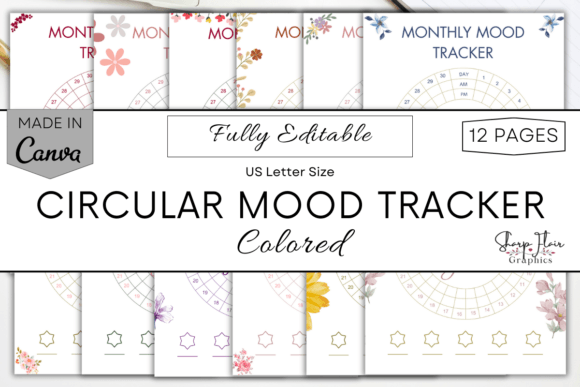
Transform Your Self-Care with the Circular Mood Tracker Canva Template
For many of us, the journey towards better emotional awareness feels like a winding path without a map. We have fleeting thoughts about our daily feelings, but rarely capture them in a way that reveals meaningful patterns over time. This is where the Circular Mood Tracker Canva Template becomes an indispensable tool. It's not just a pretty set of pages; it's a structured, visual system designed to turn sporadic mood notes into a coherent year-long narrative of your emotional well-being.
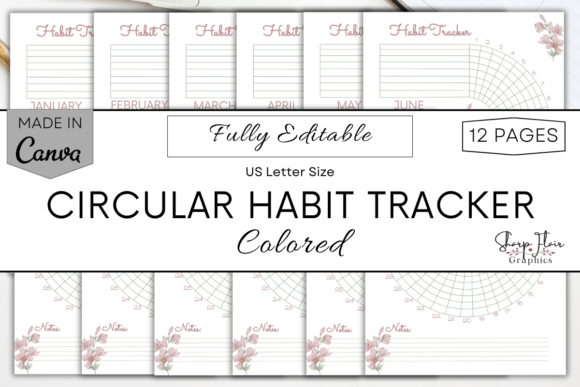
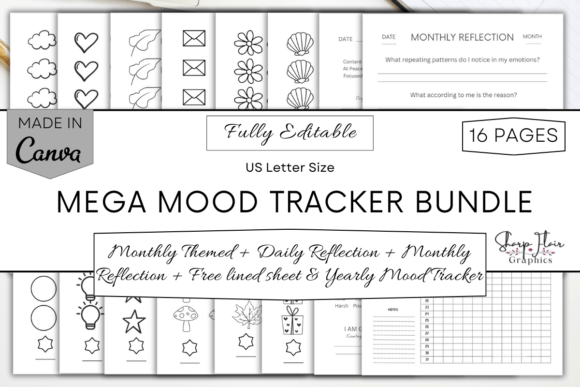
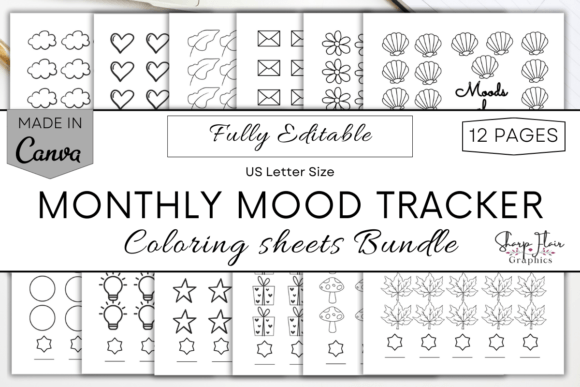
People gravitate towards mood tracking for various reasons—to manage stress, understand triggers, or simply to practice mindful self-reflection. The Circular Mood Tracker offers a uniquely elegant solution: twelve month-by-month circular charts where you can log your morning and evening moods using a personalized color code. This digital product provides immediate, editable access via Canva, allowing for complete customization before you print or use it digitally. The appeal is clear: it combines the simplicity of a color-coded system with the depth of long-term pattern analysis.
Common Mistakes When Starting Your Mood Tracking Journey
Even with a beautifully designed tool like the Circular Mood Tracker, the effectiveness of your practice hinges on how you set it up and use it. Many beginners, and even seasoned journalers, fall into predictable traps that can undermine the entire process.
Overcomplicating Your Mood Categories
A frequent misstep is creating an excessively granular color code. You might feel inspired to define ten distinct moods like "optimistic-anticipation," "productive-fatigue," or "socially-anxious." While nuanced, this approach quickly becomes unsustainable. Logging becomes a chore, and deciphering your own complex code a month later can be confusing. The visual clarity of the circular chart is lost in a sea of similar hues.
The practical effect is burnout and abandonment. Your tracker, meant to be a helpful companion, becomes a source of frustration. A better approach is to start broad. Use five to seven core emotional states that truly cover your spectrum—perhaps "Calm," "Energy," "Low," "Anxious," "Content," "Irritable," and "Neutral." These are distinct, easy to remember, and provide clear data. You can always refine your categories later as you learn what distinctions matter most to you.
Neglecting the "Morning vs. Evening" Dual Log
Another overlooked detail is the template's specific design for both morning and evening entries. Some users simply fill in one circle per day, merging their entire day's emotional state into a single color. This misses a crucial insight: our moods are not static. How you feel waking up often differs profoundly from how you feel after a day of work, interactions, or solitude.
By ignoring this dual-log feature, you lose the ability to spot powerful patterns. You might not see that your mornings are consistently calm but your evenings trend toward low energy, pointing to potential daytime stressors or evening routines that need adjustment. Commit to the two simple check-ins. It doesn’t require lengthy writing—just a quick color fill. This small habit amplifies the value of your entire Circular Mood Tracker.
Treating It as a Static, One-Time Print
Receiving the 12-page PDF can lead to the immediate impulse to print all pages and start filling them in with pen. While this works, it bypasses the core advantage of the product: its complete editability in Canva. A significant mistake is not exploring customization before committing to a physical copy.
Perhaps the default font is hard for you to read, or you want to add a small inspirational quote to each month's page. Maybe you prefer a darker background for a certain season. If you print first, you're locked into that version. Instead, before any printing, open the Canva link. Spend twenty minutes adjusting fonts, tweaking element sizes, or even altering the central color palette to better suit your visual preferences. This ensures the tool is perfectly tailored to you, increasing your long-term engagement with it.
Making the Most of Your Digital Mood Tracker Bundle
To avoid these pitfalls and ensure your mood tracking is both sustainable and insightful, a little forethought goes a long way. Your goal is to create a system that feels effortless yet revealing.
Establish a Simple, Intuitive Routine
Link your tracking to existing daily habits. Place the printed sheet on your nightstand or set the digital file as a wallpaper on your tablet's journaling app. The morning log can happen with your first coffee; the evening log can be part of your bedtime ritual. Consistency is more valuable than exhaustive detail. Even if you only log four days a week, you'll gather more useful data than with a perfect but abandoned two-week sprint.
Review Monthly, Not Just Daily
The circular design is brilliant for periodic review. At the end of each month, don't just file the page away. Look at the circle. Where are the clusters of color? Are there streaks of a particular mood? Does a certain day of the week often correlate with "Anxious"? This monthly review, taking just five minutes, transforms raw data into self-knowledge. It's where you identify patterns that inform positive changes in your schedule, relationships, or self-care practices.
Embrace the Paperless Option
For many professionals, creators, and busy individuals, another printout might feel like clutter. Remember, you can upload the PDF to your iPad or tablet and use it within a note-taking app like GoodNotes or Notability. This paperless usage offers incredible flexibility. You can duplicate pages if you want to track additional metrics, and your entire year’s journey is stored in one portable device. It’s a perfect solution for those who prefer a digital lifestyle but want more structure than a simple notes app.
What to Consider Before You Begin
Before you download and dive into your Circular Mood Tracker, pause for a brief self-assessment. Ask yourself what your primary goal is. Is it general awareness, managing a specific life transition, or supporting therapy work? Your goal will influence your color code choices. Also, consider your medium preference. If you love tactile journaling, printing on quality paper is ideal. If you’re always on digital devices, plan your tablet integration from the start.
Finally, approach this tool with a spirit of curiosity, not judgment. The tracker is a mirror, not a judge. Its purpose is to show you patterns with compassion, allowing you to make informed, positive adjustments to your life. By avoiding the common setup mistakes and leveraging the full, customizable potential of the Circular Mood Tracker Canva Template, you equip yourself with a powerful, personal tool for navigating the year with greater emotional clarity and intention.