Mastering Data with a Business Presentation Infographic
Every business has a story to tell, and often, the most compelling chapters are written in numbers and processes. Turning these raw figures and workflows into a narrative that engages, informs, and persuades is a critical skill. This is where the power of a Business Data Presentation Infographic comes into play. It's not merely a collection of charts; it is a designed narrative framework that transforms complex information into a clear, visually-driven journey.
The Anatomy of a Clear Data Narrative
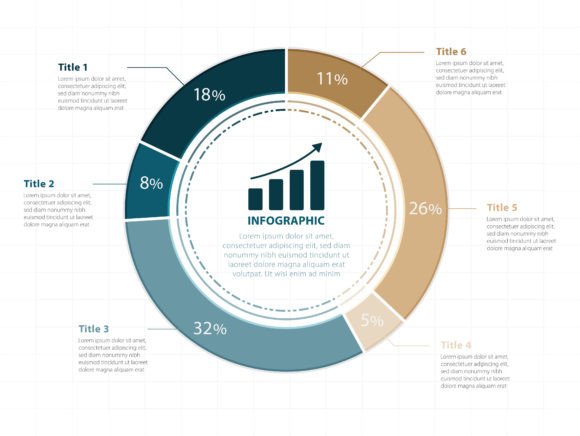
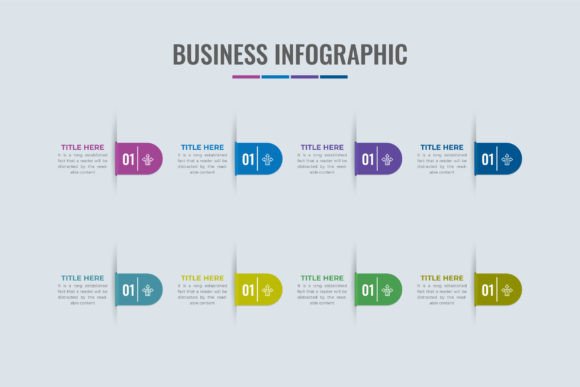
An effective business infographic for data presentation typically combines several key elements. It uses colorful shapes and sections to create distinct visual zones, guiding the viewer through a logical flow. Work step sections break down processes into digestible stages, while integrated charts—like bar graphs, pie charts, or line diagrams—provide the empirical evidence. This blend of diagrammatic flow and data visualization creates a hybrid tool that is both explanatory and analytical.
What makes this format so interesting is its inherent flexibility. The vector-based design, such as the one offered at the Iftikhar Alam Graphic Store, is a starting canvas. It provides a professional structure—a workflow diagram, placeholder charts, defined steps—that you can adapt. This means you are not building from a blank page; you are editing a sophisticated template to fit your specific data story, saving immense time while ensuring a polished, cohesive foundation.
Unlocking Creative Possibilities Across Professions
The utility of this infographic extends far beyond a standard corporate report. Its design invites creative applications across numerous fields and formats.
For Marketers and Content Creators
Imagine using the infographic’s flow to map a customer journey, with each section representing a touchpoint and the charts showing conversion rates or engagement metrics. Bloggers can deconstruct a complex topic, like "The SEO Audit Process," using the step sections to outline phases and the data visualization areas to highlight key findings or performance benchmarks. This turns a technical post into an accessible, scannable guide.
For Educators and Trainers
Breaking down a scientific process or a historical timeline becomes more engaging with this visual format. Educators can replace the generic charts with relevant data—population growth over time, experimental results—and use the workflow shapes to illustrate stages of an event or a methodology. It serves as a superior visual aid for presentations, handouts, or online learning modules.
For Entrepreneurs and Small Business Owners
Pitching to investors or explaining a business model to a team requires clarity. This infographic can be adapted to visualize your startup's growth funnel, operational workflow, or financial projections. The professional design lends credibility, while your customized data makes it specific and convincing.
Adapting the Design for Different Goals and Audiences
The key to maximizing this asset is thoughtful adaptation. The same core business chart flow infographic diagram can yield vastly different end products based on your audience and platform.
- Internal Reports: Focus on clarity and detail. Use the chart areas for precise performance data. Label the workflow steps with specific departmental actions. Consistency in color-coding different teams or stages enhances understanding.
- Client Proposals: Prioritize persuasion and simplicity. Highlight outcomes and benefits in the data zones. The flow sections can illustrate your service process or project timeline, building confidence in your methodology.
- Social Media Content: Adapt sections for brevity. You might break the infographic into a carousel post series, with each slide focusing on one step or one key chart. Use bold colors and minimal text to grab attention quickly.
- Printed Handouts or Posters: Ensure high-resolution output from your edited vector file. The JPG format provided is useful here. Organize information hierarchically, with the most critical data or the first process step positioned to catch the eye first.
Practical Guidance for Effective Customization
While the creative possibilities are broad, a few practical principles will keep your final product effective.
First, maintain visual hierarchy. Even as you modify the design, ensure there's a clear path for the eye to follow—typically from top to bottom or along the defined flow arrows. Don’t let added text or charts clutter the intended progression.
Second, curate your data carefully. An infographic is not a spreadsheet. Select only the most impactful numbers or the essential process stages. Each chart or step section should convey a single, clear point. Overloading it dilutes the message.
Third, keep the design consistent. When you edit the vector file in an application like Adobe Illustrator, use a coordinated color palette and a uniform font style. This cohesion makes the information feel organized and trustworthy, even as you personalize every element.
From Template to Unique Communication Tool
Starting with a professional business workflow and process infographic vector removes the technical barrier of design creation. Your energy can then focus entirely on the substance of your message. Whether you are a freelancer presenting a project plan, a publisher explaining a research finding, or a hobbyist organizing a community event's logistics, this template empowers you.
You receive the design in both Vector and JPG formats, compressed in a ZIP file. The vector format is your workspace for customization using tools like Illustrator. This allows you to change colors, reshape elements, input your own charts, and edit all text. The final product can be extracted and used anywhere—from a website embed to a printed brochure.
Ultimately, a Business Data Presentation Infographic is more than a digital file; it’s a framework for thinking clearly. It encourages you to structure your information logically and present it visually. By adapting it with your unique data and for your specific audience, you transform a versatile template into a powerful, original piece of communication that informs, instructs, and inspires action.